
Multi-file projects
Compile any chapter and Openotex builds the main document that includes it.
Version 1.6.1 · Steyr Edition
A focused LaTeX desktop editor for research and technical writing.
Edit source, compile with your preferred engine, inspect the PDF, and navigate long multi-file documents without leaving the workspace, or let your coding agent help.
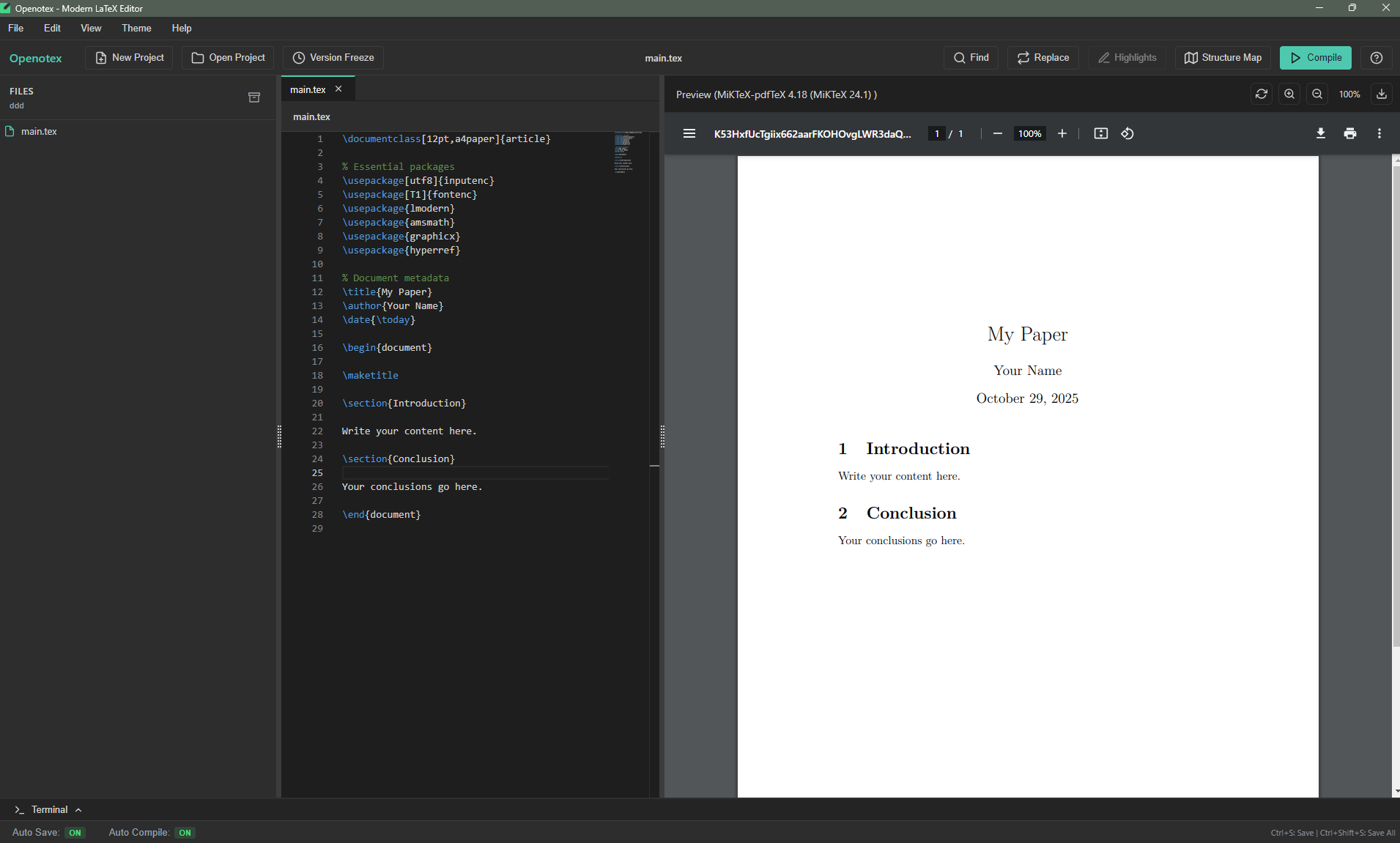
Openotex 1.6.1 · Editor and live PDF preview
One continuous workspace
Openotex keeps the writing loop visible: project files, source, compilation state, PDF output, and document hierarchy all remain close at hand.
Start from a template or open a folder. Chapters, images, and bibliographies stay in one tree.
Monaco editing with label and citation completion, auto-save, and incremental latexmk builds.
Jump between source and PDF, follow the structure map, and snapshot files before major edits.
Structure map
Turn chapters, sections, and subsections into an interactive visual outline. Choose a horizontal or vertical layout and select a node to return to its source.
Built for sustained writing
A native desktop workflow with the editing, recovery, and navigation tools expected in serious academic projects.
Compile any chapter and Openotex builds the main document that includes it.
Sharp, fast preview with SyncTeX jumps between source and PDF in both directions.
Errors and undefined references open the right file at the right line.
Detect and install missing LaTeX packages through MiKTeX or TeX Live.
Create timestamped snapshots, with unsaved-change protection for every tab.
Add color-coded highlights and comments without changing the LaTeX source.
Commit, pull, and push from the Git panel, or run git commands in the built-in terminal.
A built-in MCP server lets AI agents compile, check, and open your documents.
Model Context Protocol
Openotex includes an MCP server. Claude Code, Claude Desktop, Cursor, VS Code, or Codex can compile your document, read every error with its file and line, check references, and open files in the editor while you watch the PDF update.
claude mcp add --transport stdio --scope user openotex \
  --env ELECTRON_RUN_AS_NODE=1 \
-- "<Openotex executable>" "<openotex-mcp.cjs>"compile_documentBuild and report errors with file and linecheck_referencesUndefined \ref and \cite keys, before compilingget_document_outlineChapters and sections across included filespdf_to_sourceFind the source of text a reviewer cites by pageopen_in_openotexShow a file at a line in the editorOpenotex 1.6.1 · Steyr Edition
Openotex runs on 64-bit Windows 10 and 11 and on 64-bit Linux. A local LaTeX distribution is required for compilation.
Windows: MiKTeX is recommended. Get MiKTeX
Linux: install TeX Live and latexmk, for example
sudo apt install texlive-full latexmk.
Open by default
Openotex is developed by the Openotex Team and released under the MIT License. There is no registration, subscription, advertising, or website tracking.
Common questions
No. Install a LaTeX distribution first: MiKTeX on Windows or TeX Live on Linux (on
Ubuntu, for example sudo apt install texlive-latex-extra
texlive-fonts-recommended lmodern cm-super latexmk). When a document needs a
missing package, Openotex names the package that contains it and can install it
for you.
Version 1.6.1 is available for 64-bit Windows (installer or portable ZIP) and as an
AppImage for 64-bit Linux. The AppImage adapts to Ubuntu 24.04's sandbox restriction
by itself; install libfuse2t64 if your system asks for FUSE.
Yes. Openotex includes a Model Context Protocol server. Open Help → Connect a Coding Agent (MCP) in the app to copy the setup for Claude Code, Claude Desktop, Cursor, VS Code, or Codex. Everything runs locally on your computer.
Openotex is a desktop editor. Projects and compilation remain on your computer; the website does not require an account or add tracking.